What Is DNSSEC? A Simple Guide to Secure DNS
Learn what DNSSEC is, how it protects DNS records, and how to check signatures, public keys, and resolver validation with simple dig commands.
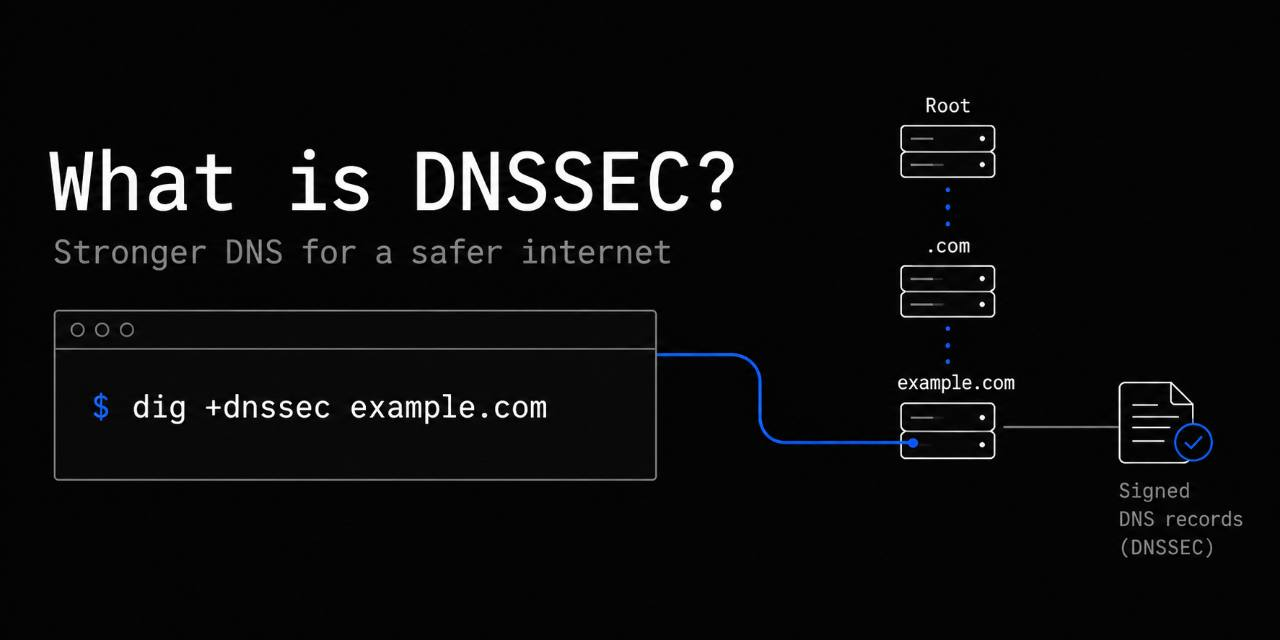
DNSSEC stands for Domain Name System Security Extensions. It helps protect the Domain Name System (DNS) from forged or modified answers. This guide explains what DNSSEC is, how it works, and how to check its records with dig.
Regular DNS translates domain names, such as example.com, into IP addresses that computers use to communicate. Traditional DNS has no built-in way to prove that those answers are genuine. DNSSEC adds checks that show whether signed DNS data came from the right source and stayed unchanged.
Why DNS needs security
When you visit a website, your computer asks a DNS resolver for the domain's IP address. A resolver is a service that finds DNS answers for you. Your browser uses the answer to connect to the website.
An attacker who replaces a DNS response could send your browser to the wrong server. A forged reply is called DNS spoofing. If false information ends up in a resolver's stored answers, or cache, that is DNS cache poisoning.
For example, someone visiting their bank could receive a malicious IP address instead of the correct one. HTTPS provides a separate check of the website's identity. DNSSEC helps earlier in the process by making forged DNS answers detectable.
How DNSSEC works
DNSSEC uses digital signatures to protect DNS records. A signature is a mathematical check created with a private key. The matching public key lets others check it without being able to create a valid replacement.
When a domain uses DNSSEC, its DNS provider signs sets of records. A resolver with DNSSEC validation enabled checks those signatures before accepting an answer. The process works roughly like this:
- Your computer requests a DNS record.
- The resolver retrieves the record and its signature, or uses valid cached copies.
- It checks the signature using the appropriate public key.
- It checks the chain of trust connecting the domain to a trusted DNS root key.
- If validation succeeds, it can return the answer.
If validation fails, the resolver normally returns SERVFAIL, meaning the lookup failed. Unsigned domains can still resolve, but their answers lack DNSSEC protection. DNSSEC does not stop every DNS attack or guarantee that a website is safe.
Understanding DNSSEC records
DNSSEC introduces several record types. A DNS zone is a part of the naming system managed together, such as a domain and its records.
| Record | Purpose |
|---|---|
| DNSKEY | Publishes a public key used to verify signatures |
| RRSIG | Holds a digital signature for a set of DNS records |
| DS | Holds a digest of a child's DNSKEY, linking it to the parent zone |
| NSEC | Provides signed proof that a name or record type does not exist |
| NSEC3 | Provides similar proof using hashed names |
A digest, or hash, is a value calculated from data. A DS record lets a resolver check that a child's public key matches the parent's reference. NSEC3 uses hashes of names in its proofs; it does not encrypt DNS traffic.
These records create a chain of trust. For a signed .com domain, validation can follow that chain from the DNS root through .com to the domain. Each level helps establish trust in the next, starting from a root key the resolver already trusts.
How to check DNSSEC with Dig
dig is a DNS lookup tool available on Linux, FreeBSD, and other Unix-like systems. Open a terminal to run these commands. They query DNS without changing your settings; if dig is missing, install your system's BIND DNS utilities package.
Start with a normal lookup:
dig cloudflare.com
This asks your configured resolver for the domain's IPv4 address. Now request DNSSEC information:
dig cloudflare.com +dnssec
Look for an RRSIG record in the answer. It shows that a signature was returned, not that dig validated it. The BIND dig manual explains the available query options.
You can also request the domain's public keys:
dig cloudflare.com DNSKEY +dnssec
To check for its delegation signer record, use:
dig cloudflare.com DS +dnssec
The DS record is published in the parent zone. It helps connect the domain's key to the DNSSEC chain of trust.
To ask Cloudflare's public resolver for an answer, try:
dig @1.1.1.1 cloudflare.com +dnssec
Look for the ad flag in the response header. It means the resolver reports the answer as authenticated. This command relies on the resolver's validation; dig does not check the full chain itself.
The query uses ordinary, unencrypted DNS. Trusting the ad flag requires trusting both the resolver and the network path to it. A missing flag alone does not prove a domain is unsigned; resolver settings and network filtering can affect results.
For more examples, see our guide to DNS troubleshooting with Dig and Drill.
DNSSEC does not encrypt DNS
DNSSEC checks where signed data came from and whether it was altered. It does not hide queries or responses. DNS over HTTPS (DoH) and DNS over TLS (DoT) instead encrypt traffic between your device and a resolver.
These technologies can work together. DNSSEC checks DNS data, while encrypted DNS protects the connection to the resolver. Neither replaces HTTPS protection for the website connection itself.
Enabling DNSSEC for your domain
DNSSEC is worth considering if your DNS provider and registrar support it. Your registrar is the company where you register your domain. Some providers automate setup; others require you to submit a DS record through your registrar.
A mismatch between your DNS provider's keys and the parent's DS record can cause lookups to fail for validating resolvers. Check both providers' migration instructions before changing nameservers. A stale DS record can make an otherwise working domain unreachable.
For more background, read ICANN's introduction to DNSSEC. For provider-specific setup steps, use Cloudflare's DNSSEC documentation. After setup, check that a validating resolver can authenticate your domain's answers.
Need Help With DNS or Network Security?
At FOO.XYZ, we help businesses troubleshoot DNS, DNSSEC, domain configuration, network security, and Linux/FreeBSD infrastructure.
Whether you're fixing DNSSEC validation failures, investigating DNS problems, or improving your network security, we can help.
Phone: (213) 212-8317
Email: hello@foo.xyz
Los Angeles network engineering, business IT support, and infrastructure security services.